Available now on Android through Google Play. The iPhone version is not yet available. Check the store for current pricing and regional availability.
You can export a full backup from Offline and import supported records into the main app. Online features require a separate account and subscription; buying Offline does not include an online plan.
Made for the middle of a busy day
Keep the details. Get back to your little one.
Log what just happened
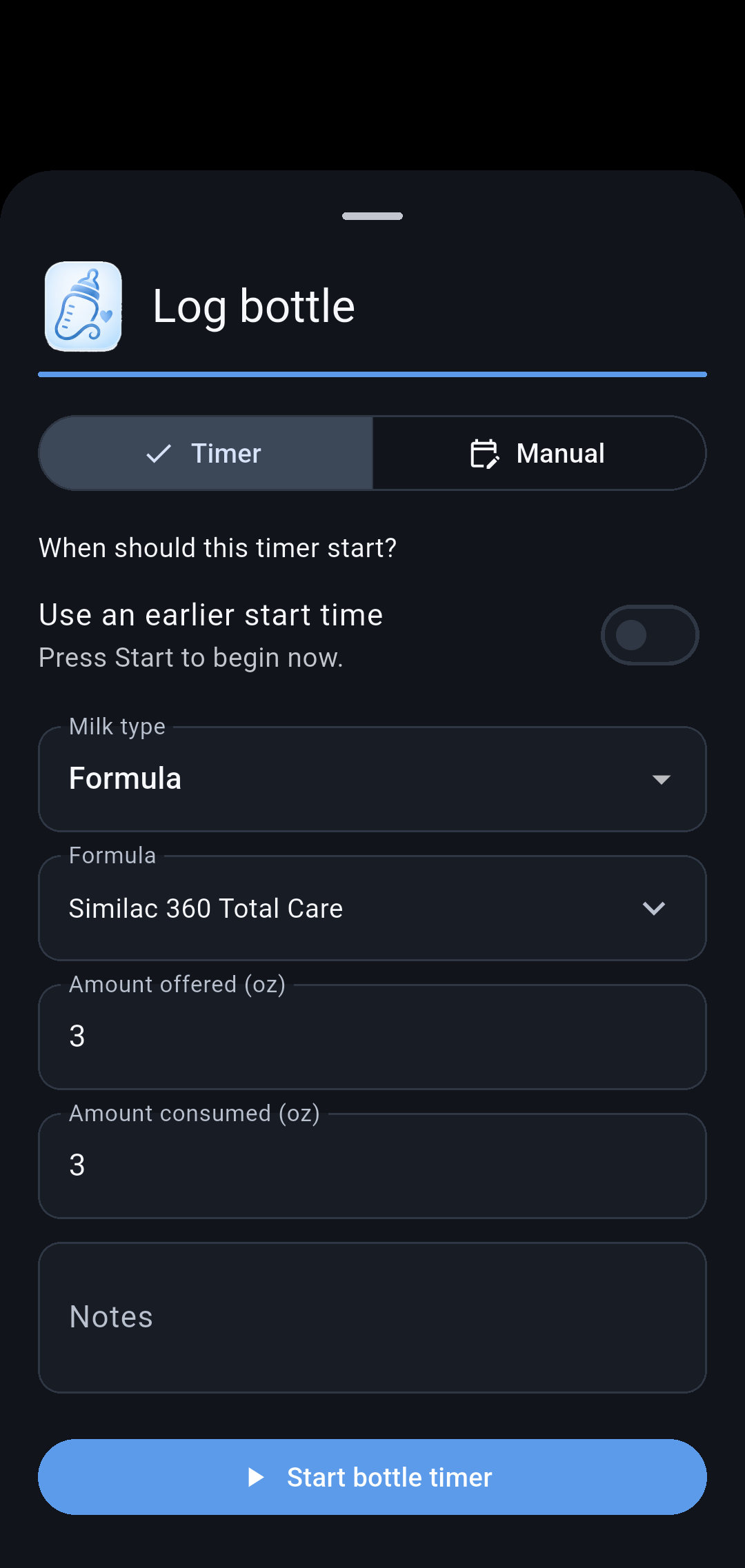
Record a feed or diaper change. Start a timer, or enter the time you meant to start when the moment got away from you.
Share the handoff
Invite your caregivers to a family and keep shared care records together. Owners manage who can join.
See the bigger picture
Review activity history, daily summaries, and growth records. Export a report when you want your notes in one place.
Inside Our Little Carebook
A closer look at everyday care.
When was the last feed? Who changed the diaper? Did the timer start? Our Little Carebook brings those everyday details together, with quick logging, shared records, and a home screen you can make your own.
Explore these everyday care screens from the Android app. Screenshots show the Android app with fictional demonstration data.
Swipe to explore the screens. Tap an image to enlarge it.
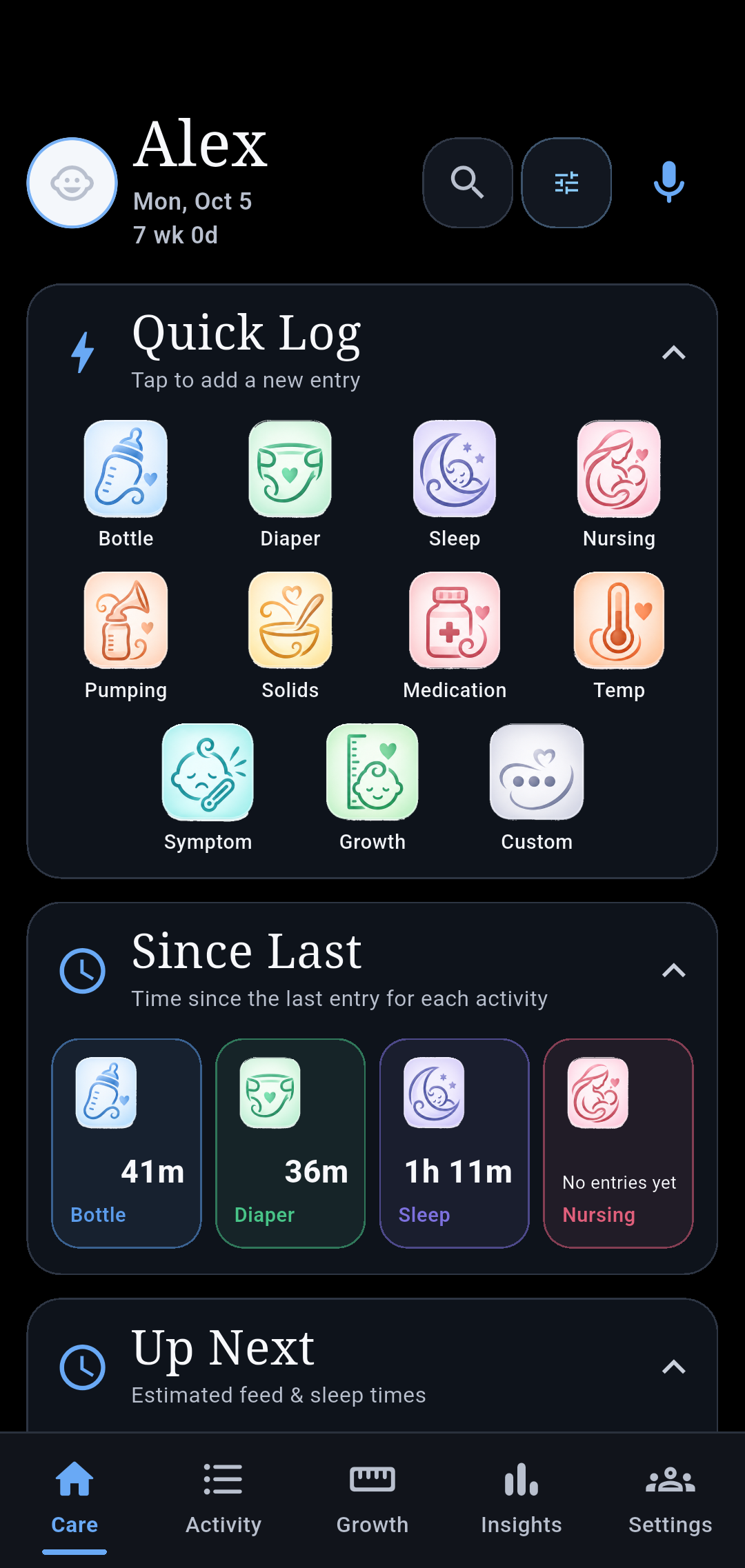
Care
Less searching, more caring. Log everyday activities, see how long it has been since the last feed or change, and keep active timers close at hand.
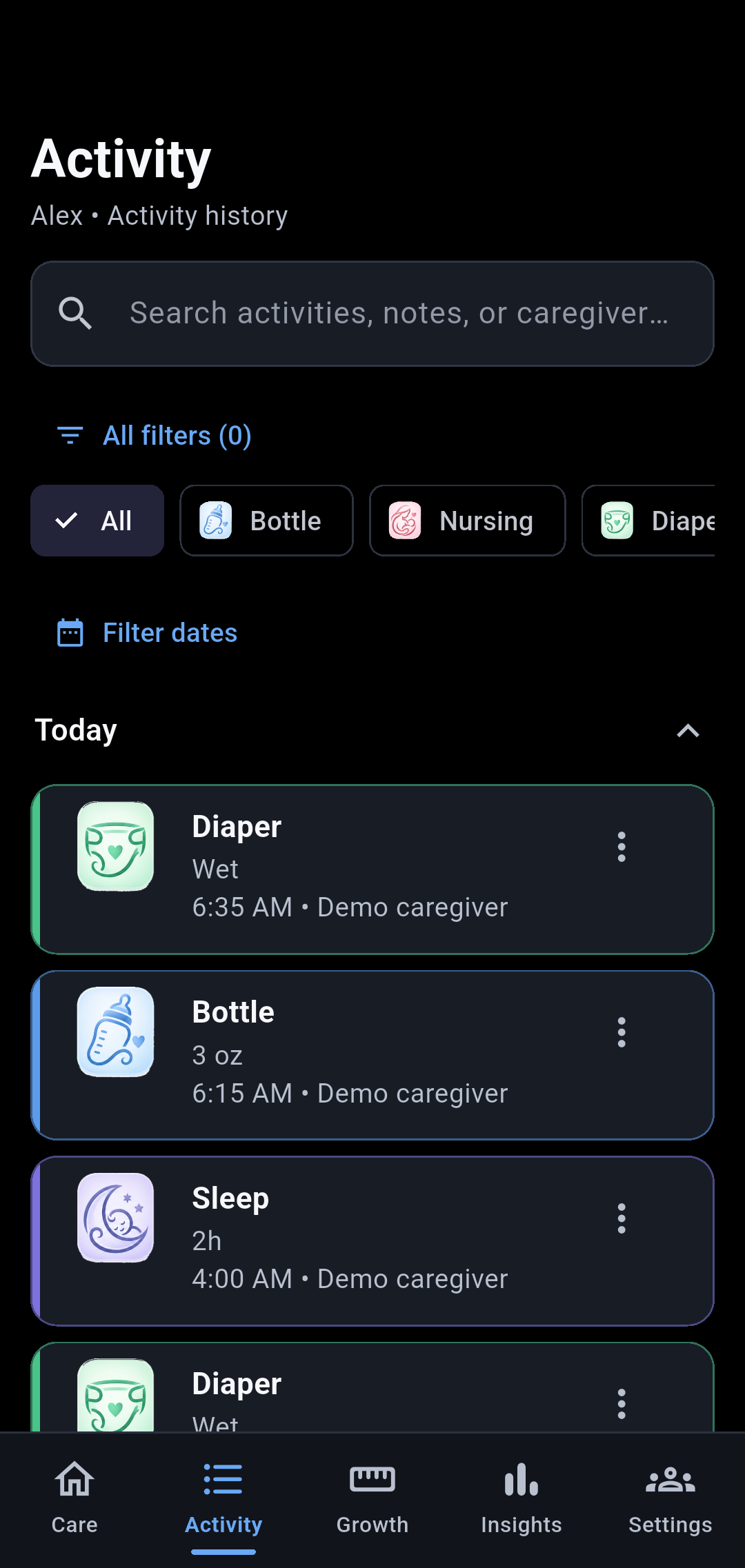
Activity
Pick up where care left off. Search and filter past entries, see who logged them, and expand older days when you need them.
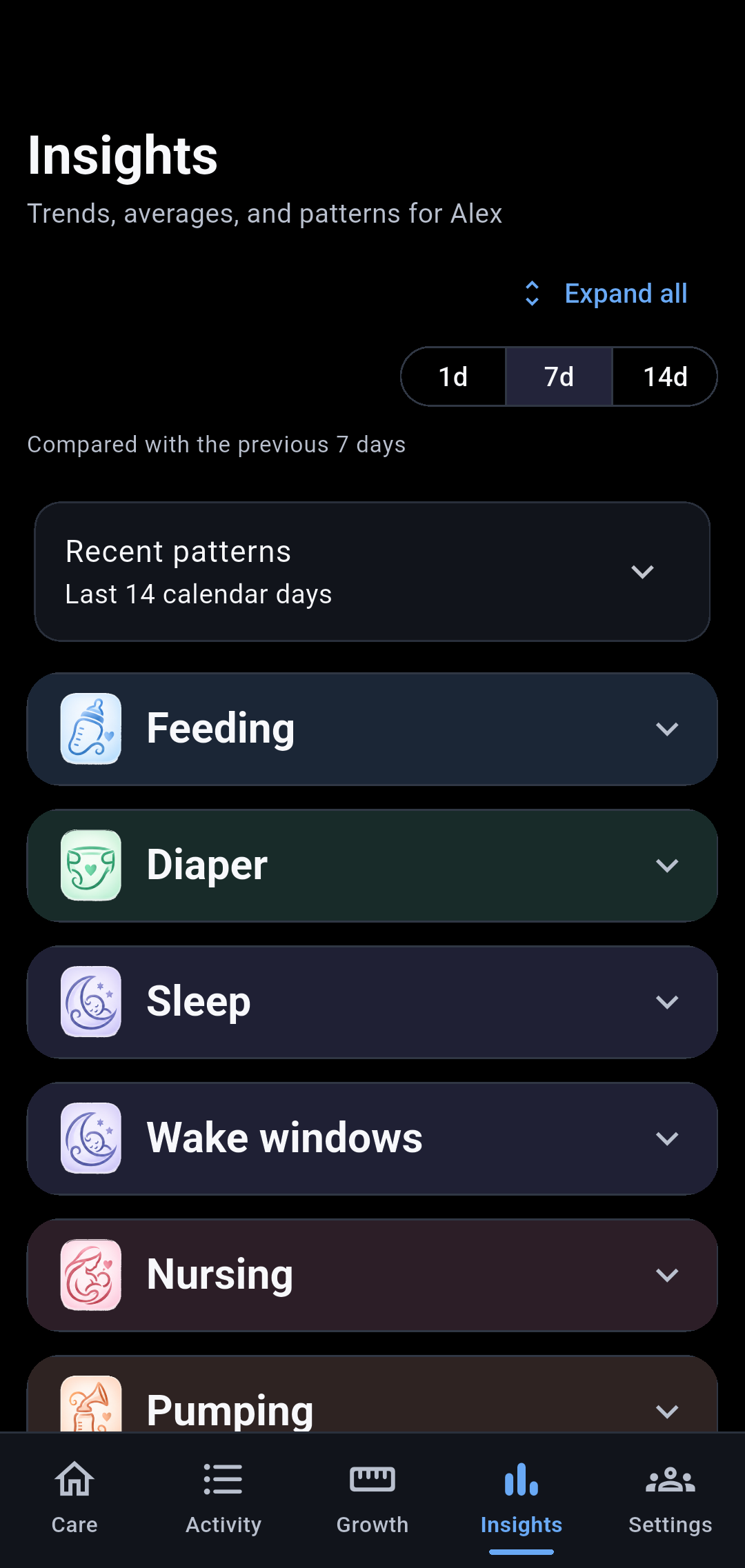
Insights
See the routine behind the records. Review daily awake and sleep totals, average wake windows and sleep sessions, and other care summaries without counting entries yourself.
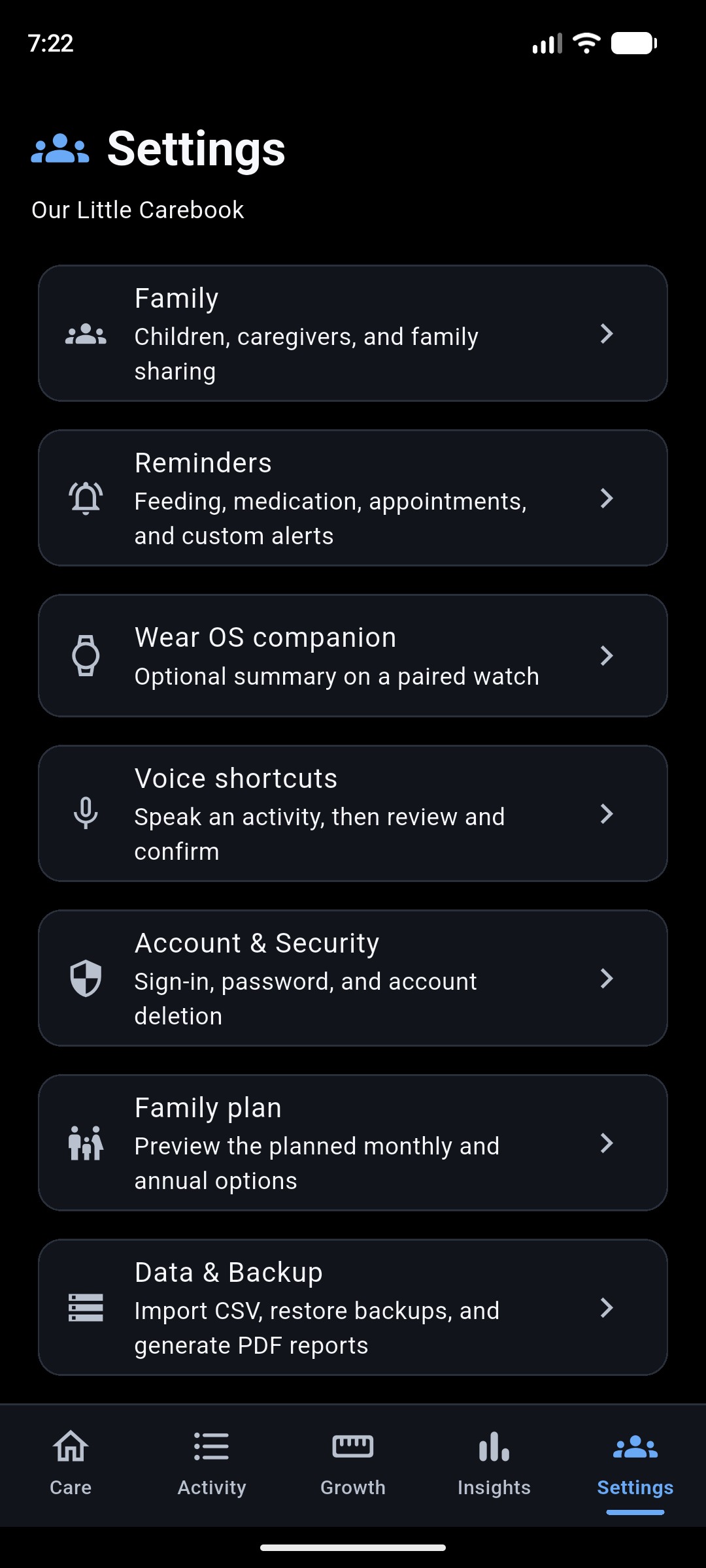
Settings
Keep your family connected. Find caregiver sharing, reminders, account settings, and tools for taking your records with you.
Built for the moments when your hands are full.
Flexible timers, fewer repeated inputs, and clearer handoffs help you keep track while life keeps moving.
A home screen that fits your family
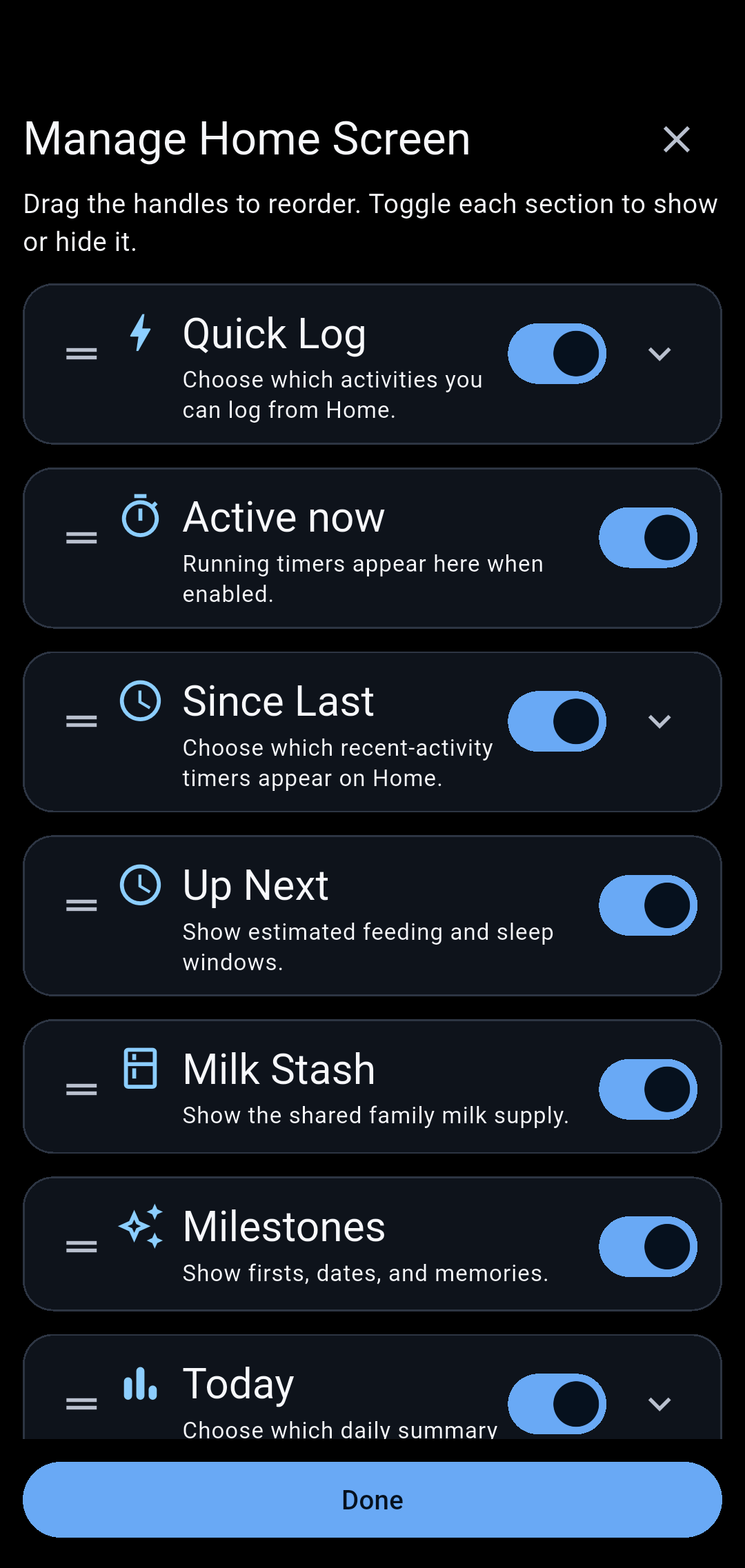
In Manage Home Screen, drag sections into your preferred order, hide the boxes you do not use, and choose which activities appear. Keep the everyday essentials up front.
An easier caregiver handoff
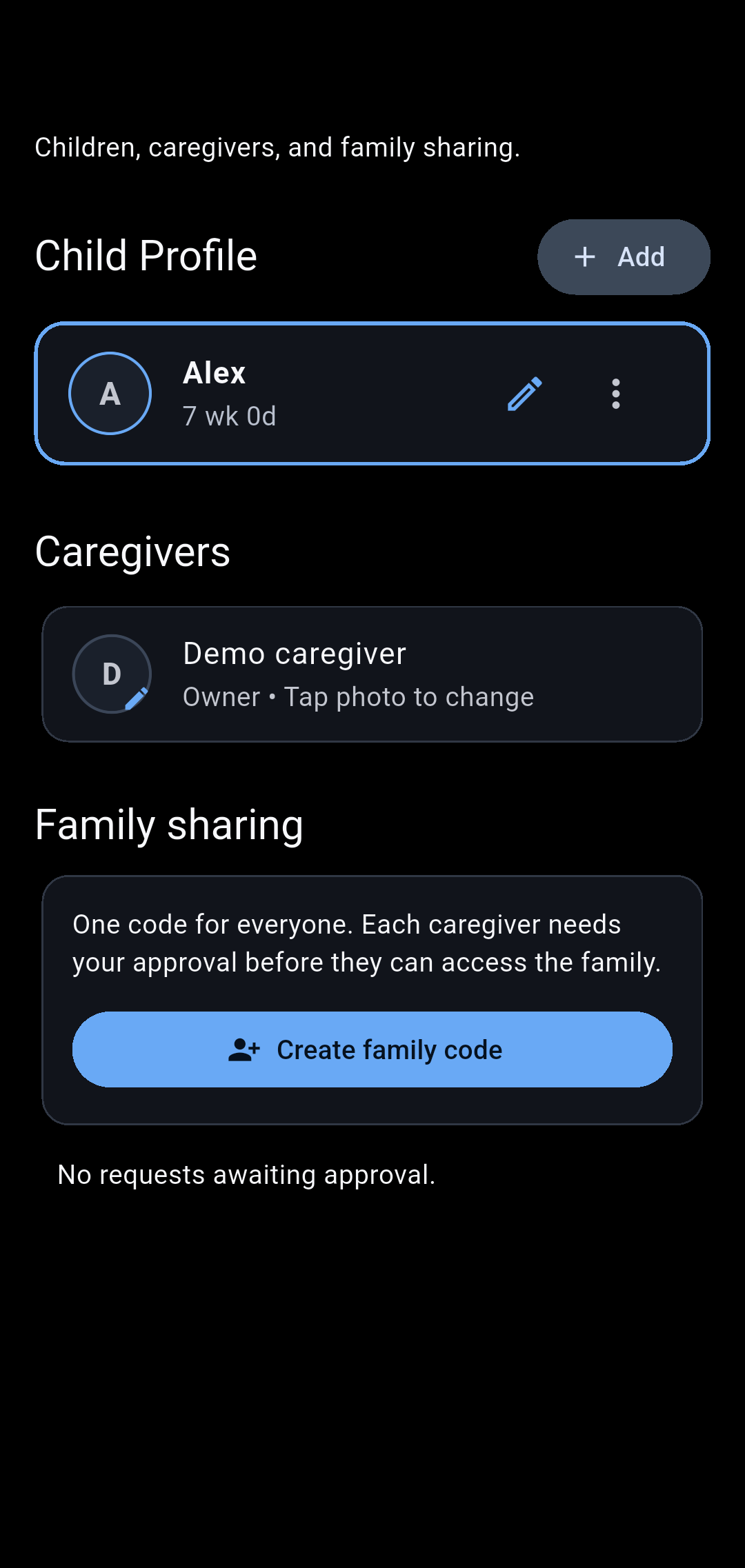
Share the care record with your family so another caregiver can see what happened last. Invite caregivers with a reusable family code and approve access.
Logging that works around real life
Start a timer now or enter the time you actually began. Correct a late stop and reuse previous feeding inputs, so a busy moment does not have to become a missing entry.
One shared milk supply
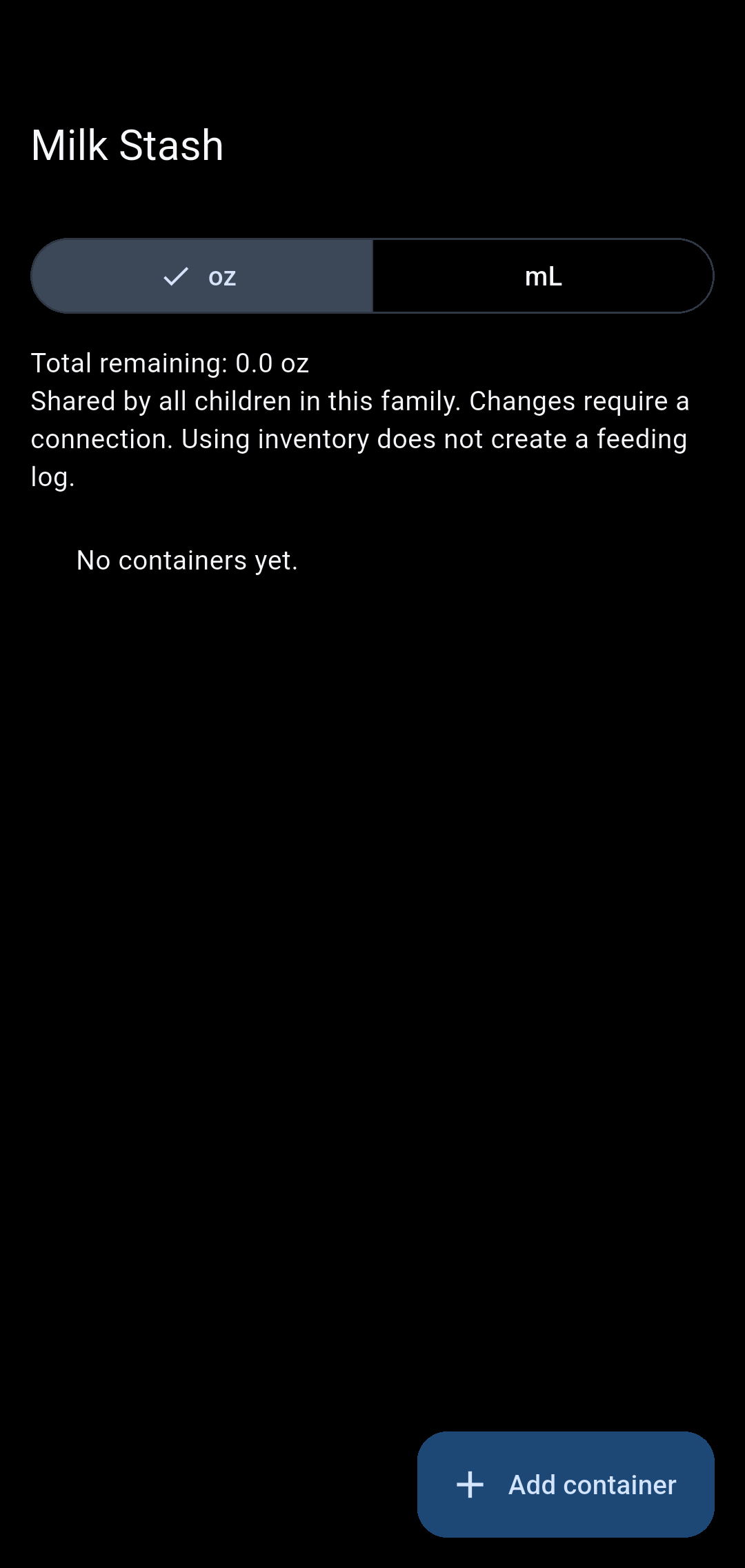
Keep stored milk in a family inventory, including refrigerator and freezer storage. Share the stash across children without maintaining duplicate supplies.
Keep the firsts, too
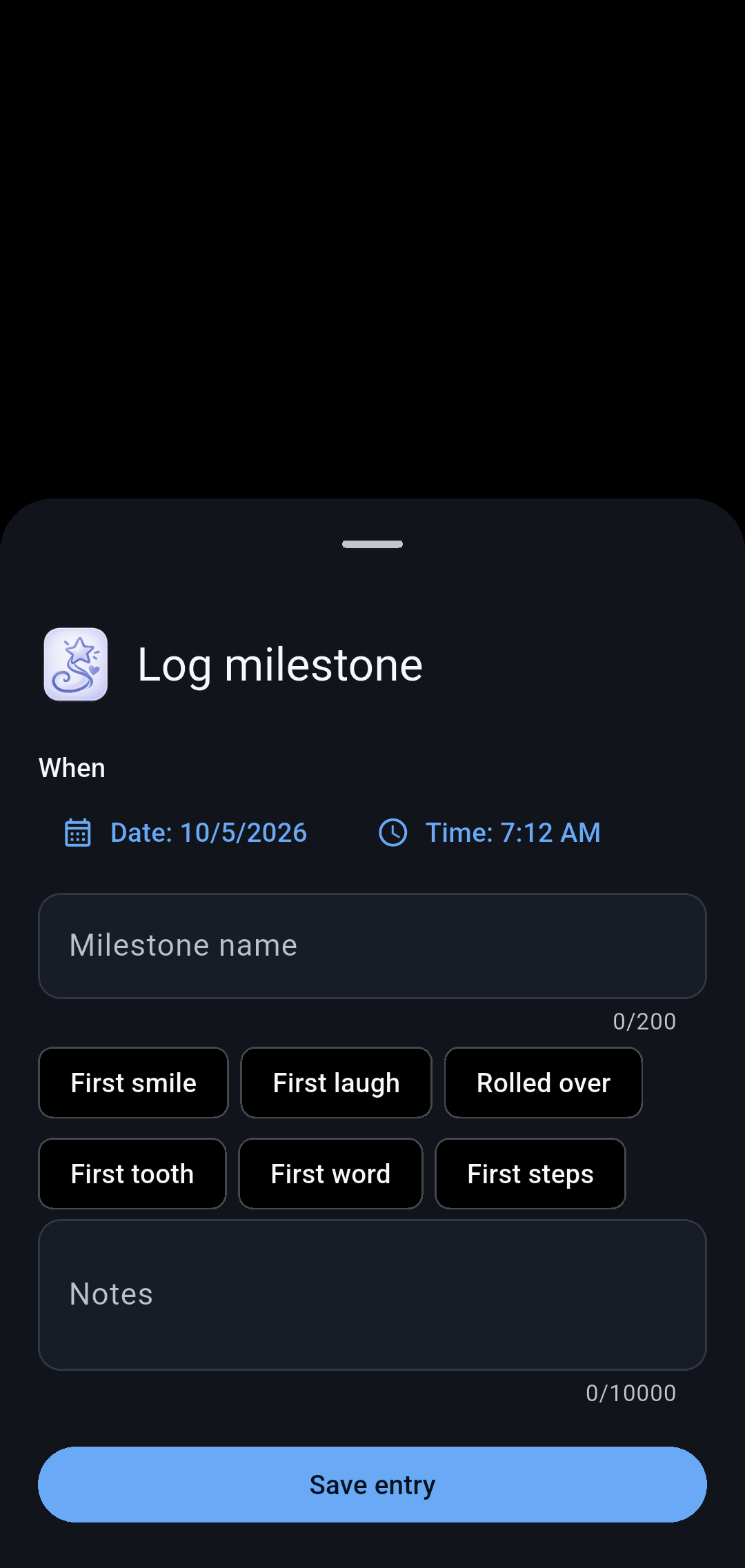
Save milestones with notes and optional photos alongside the everyday care record.
Records you can take with you
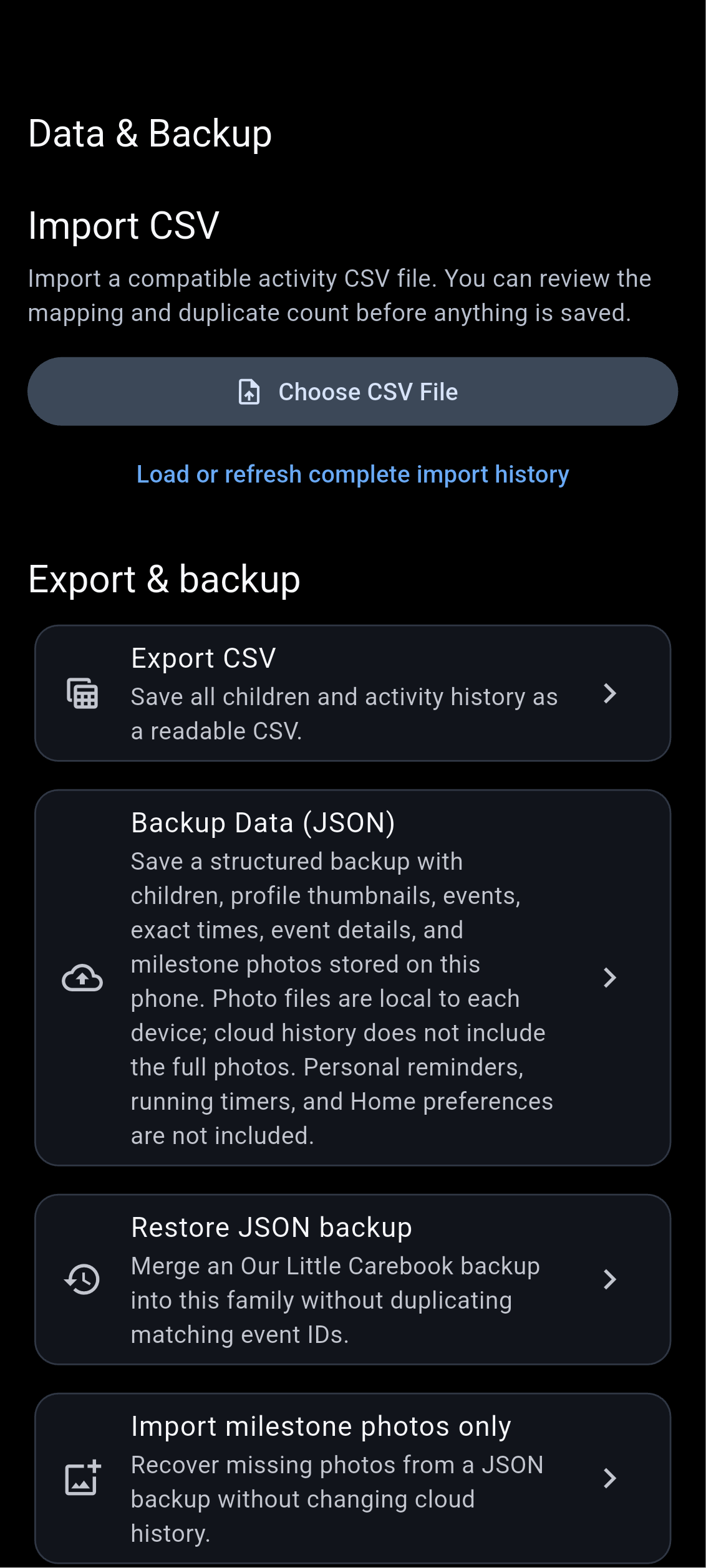
Export care history, prepare reports, and use backup and restore tools. Keep a copy for your own records or a conversation with a caregiver.
Android screens captured on an emulator with fictional sample data. Some examples show empty states; screens scroll and appearance may vary by device. Growth charts and care estimates are reference tools, not medical advice.
Use Manage Home Screen to choose and arrange your Care screen. Keep Milk Stash nearby, record a milestone, or leave the activities you do not need out of the way.
Android widgets offer a quick look at recent care and shortcuts into logging. Open the phone app to refresh changes from another caregiver. Photos attached to milestones stay on your device and can be included in a backup.
Choose your everyday activitiesKeep the controls you use most close at hand.
Bring your caregivers togetherShare records through your family's account access.
Look back when you need toFind past entries and save CSV, PDF, or backup files.
A few useful answers
Before you get started.
Can I download it today?
Our Little Carebook Online is in review for Android and iPhone and is not yet publicly available. Production subscriptions remain off pending launch. The separate Offline edition is available on Android only.
Will the iPhone version have the same features?
The Online iPhone version has been submitted to Apple for review and is not yet publicly available. Features vary by platform and build; see the support and privacy pages for details.
What can the Wear OS companion do?
The private Android companion can show recent care and, when separately enabled, log bottles and diapers, start or stop sleep, and start, switch, or stop nursing. It needs a paired Android phone with the app running, even if backgrounded, and an internet connection to confirm a cloud save. If Android closes the phone app, reopen it. Paired-device logging is still being tested; this is not a standalone watch app or an Apple Watch app.
What will a family plan cost?
Our planned U.S. price is $4.99 monthly or $49.99 annually for one family, including invited caregivers, with a 14-day trial for eligible purchases. Subscriptions are not available in current private builds. At launch, the store will show the final localized price, trial eligibility, first charge date, and automatic-renewal terms before you confirm. Cancel renewal through the store where you subscribed.
Does it tell me when my baby must eat or sleep?
No. Estimates reflect recent logs. They are informational, not feeding or sleep instructions. The app is a record-keeping tool and does not replace a healthcare professional.
What is shared with my family?
Authorized caregivers can access shared family care records. Cloud synchronization needs internet access. Milestone photo files do not automatically sync between caregivers in the current version.
Can I take my records with me?
You can export CSV and PDF reports and save a JSON backup. Exported files may contain sensitive information and are not password-protected by the app.
Built by Salas Software
Questions are welcome.
Have a question about Our Little Carebook or its release status?

 Feeds
Feeds Diapers
 Sleep
Sleep