A lineup that adapts
Drag to reorder players when the batting order changes. Hide an absent player and undo it when needed.
 Salas Software
Sideline Soundcheck · iPhone & Android
Walk-up music and player introductions, ready before the first pitch. Organize your roster, prepare announcements and run game-day audio from your phone.
Get it on Google PlayGet supportAvailable now on Google Play for Android. The iPhone version is not yet available.
$4.99 USD on Android · US only. One-time purchase, no monthly voice fees.

Made for game day
Drag to reorder players when the batting order changes. Hide an absent player and undo it when needed.
Generate player introductions on your phone, preview names and save the audio before the event. No hosted voice service required.
Add a team picture, import audio you have permission to use and select a short clip for each player.
Inside Sideline Soundcheck
From the dugout to the first pitch, keep the lineup and sound in one place.
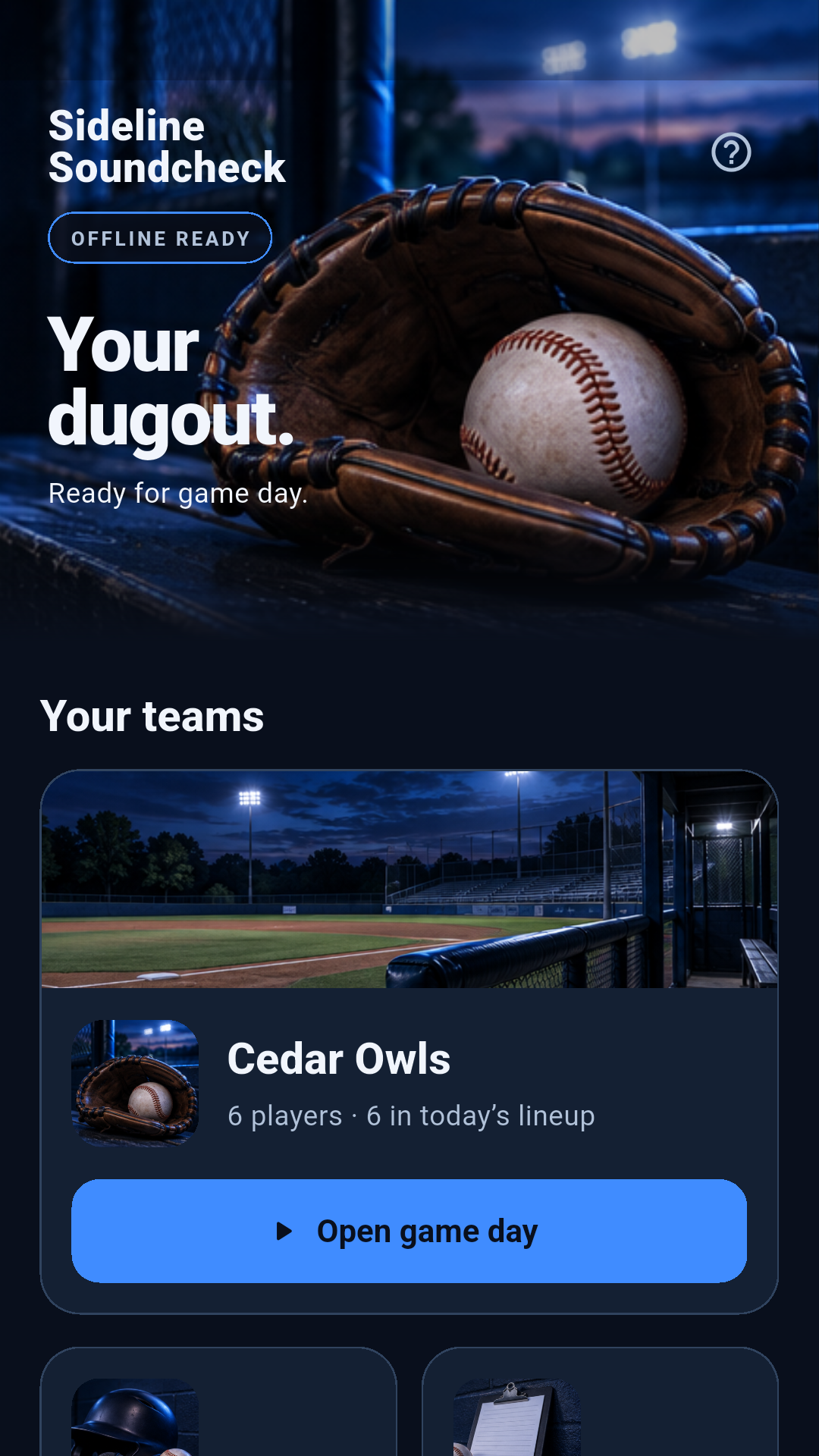
Keep your teams and their game-day setup together.
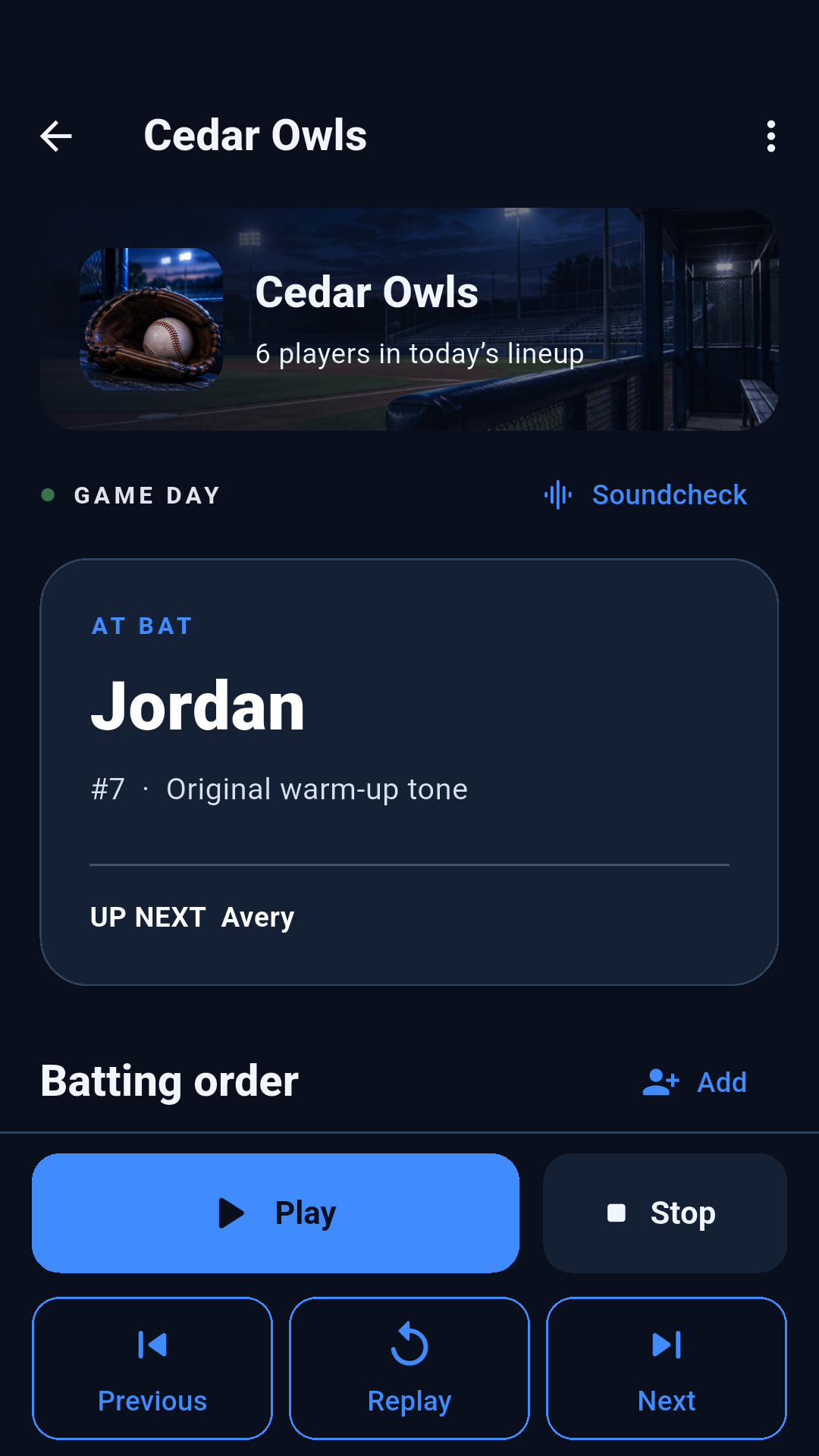
Choose a player and use roomy Previous, Replay and Next controls.
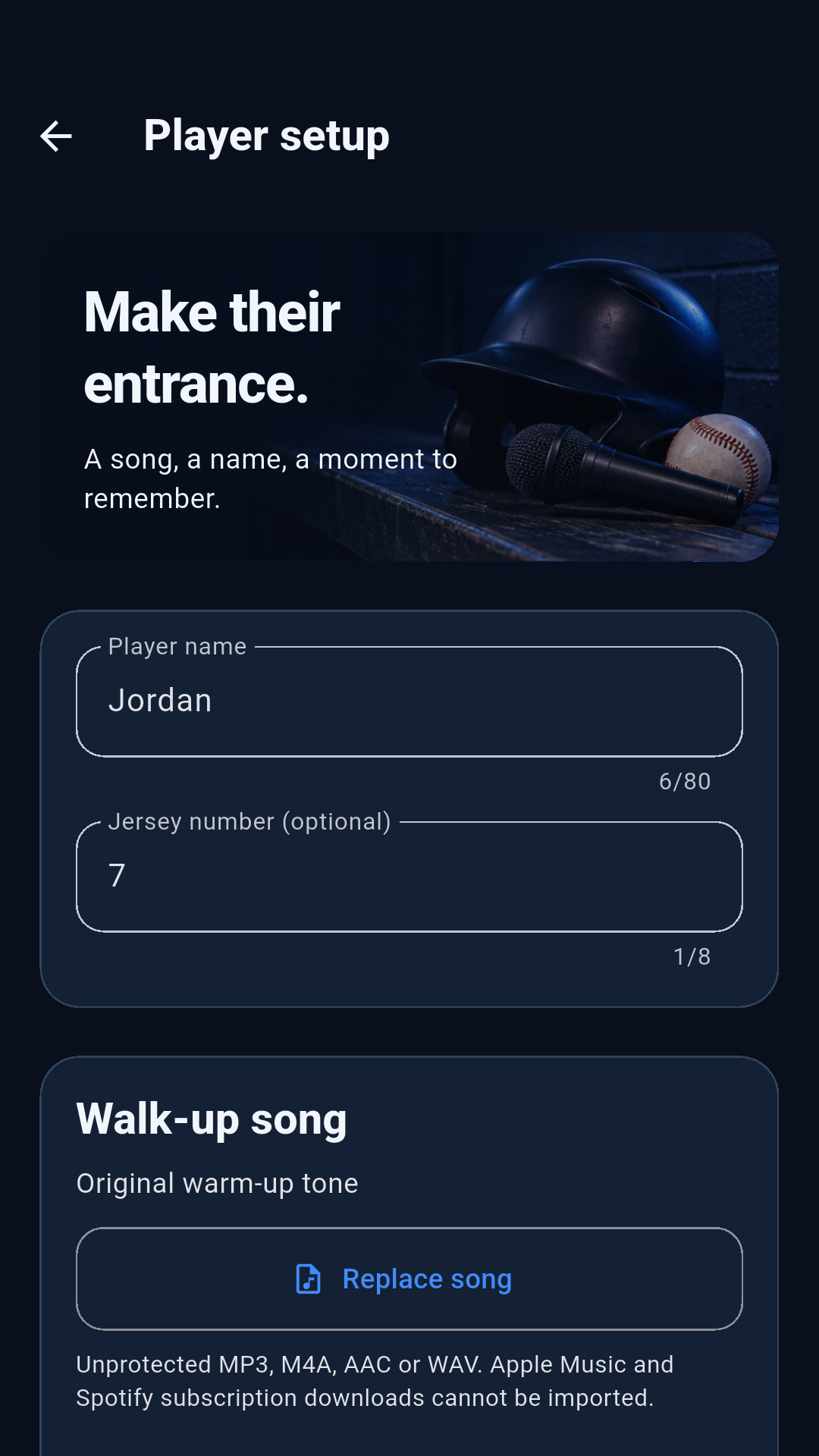
Set up a player, select music and prepare an introduction.
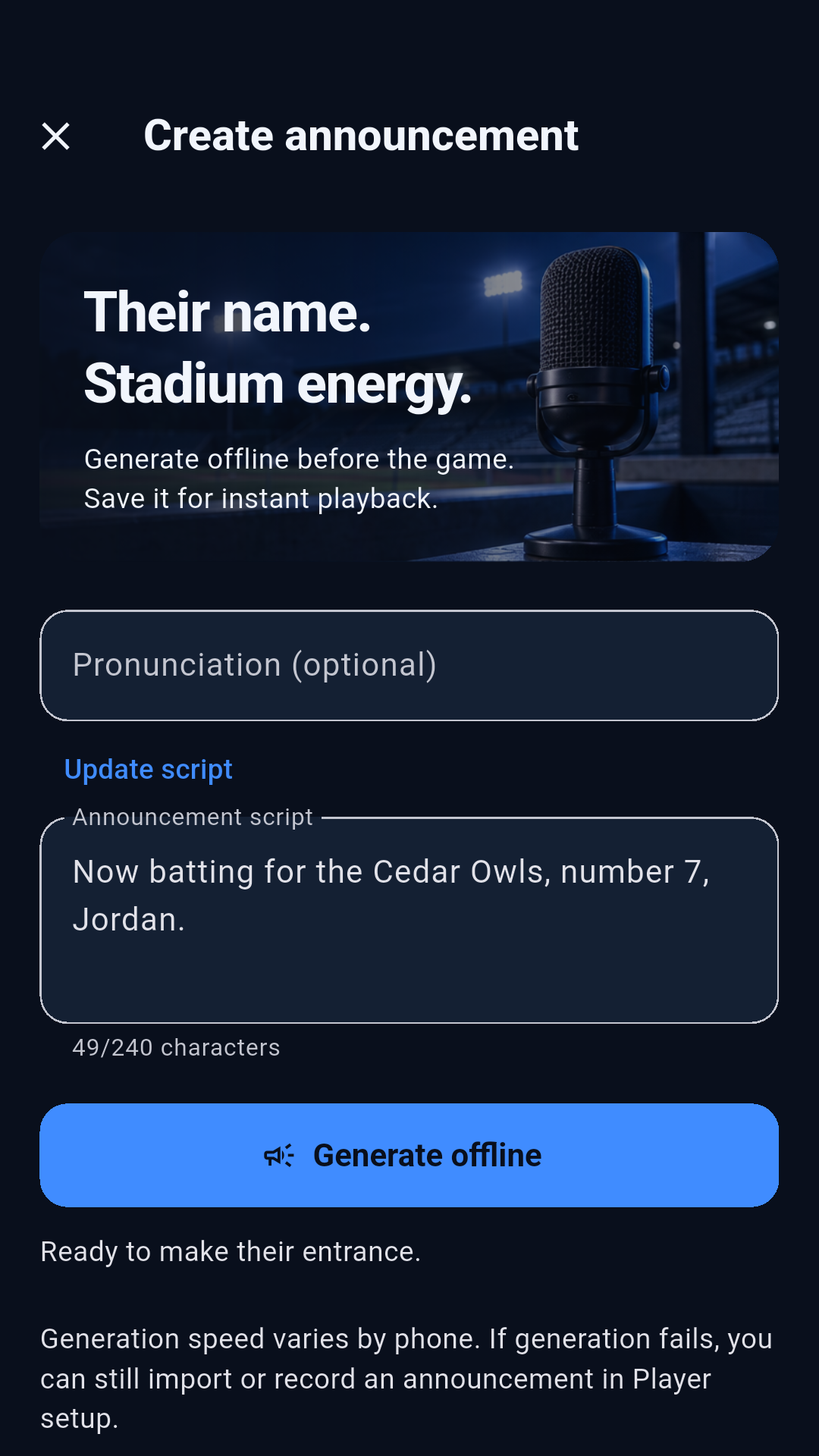
Write a script and generate an announcement offline.
Actual Android development screenshots, refreshed October 18, 2026, with fictional team data. Layout may vary by device. Tap a screenshot to view it full size.
Prepare once. Play locally.
Offline by design
Once the app, voice files and your media are installed, generation and saved playback work locally. Installation, updates and cloud-file downloads need a connection. Generation time varies by device; prepare ahead of the game.
No commercial music catalog is included. Use audio you have the rights to import and play at your event.
Visit Sideline support