1. Document the job
Keep customers, locations or vehicles, areas and notes together. Take photos or import JPEG, PNG and WebP files. Label Before, During, After and Issue photos.
 Salas Software
RinseReport · For detailing and cleaning professionals
Turn before-and-after photos from detailing, house cleaning, window cleaning and pressure washing into clear customer reports. Capture, organize and create PDFs right on your phone—even without a signal.
Coming soon on Android · US launch$9.99 once
All current offline features. No account, ads or subscription.
See how it worksPlanned launch price. Downloads are not available yet. The store will show the final price and applicable taxes before purchase. iPhone is not yet available.
Keep customers, locations or vehicles, areas and notes together. Take photos or import JPEG, PNG and WebP files. Label Before, During, After and Issue photos.
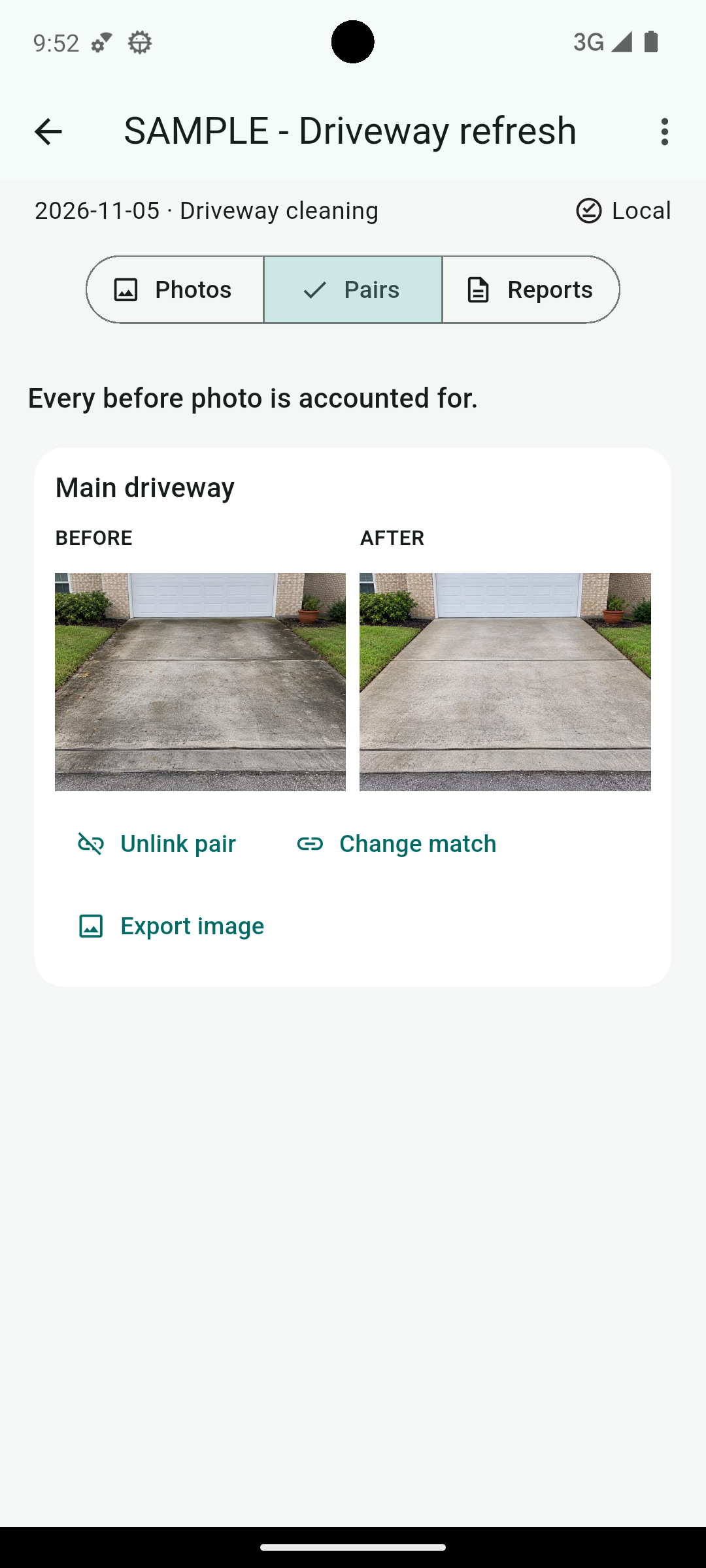
Use a reference overlay to line up an after photo. Match your pairs, or record why an after photo is missing.
Create a PDF with your business name and logo, or export a labeled comparison image. Review the result, then share through the app you choose.
RinseReport keeps its own local copies of job photos. There is no hosted photo account or automatic cloud sync.
Save a complete backup outside the app to protect your jobs, photos and reports. Choose your own storage destination, including a cloud provider if available on your device.
Device loss, clearing app storage or uninstalling can remove unbacked-up work. Reinstalling the app does not restore your workspace.
Learn about backups →Choose A4 or Letter pages and report quality. Keep saved versions. Private notes and original photo metadata stay out of customer PDFs and comparison-image exports.
Complete backups and originals ZIPs retain original metadata; complete backups also include private notes. These archives are not encrypted by the app.
Hosted customer links, crew synchronization and CRM connections are not included. Sharing through another app or cloud destination may require a connection.
Email support@salassoftware.com.
Support and getting started · Privacy policy · Terms of Service